+

In stock *In Stock - Subject to stock availability at point of fulfilment. In the event whereby the item is out of stock or unable to provide the service, 1Outlets will cancel the order and issue a Full refund in-store credit to you. SKU : 4cf09b450a7a9c7cd443d812fde1327d
**Free Shipping Worldwide available - Shipping time may vary depending on the address.
**Circumstances Reroute - This is a time of great stress and uncertainty. We are actively validating, routing and re-routing orders with our overseas merchants, logistic partners and airlines. Deliveries and supply may expect delays.
**In Stock (Low Inventory Warning) - Subject to stock availability at point of fulfilment. In the event whereby the item is out of stock or unable to provide the service, 1Outlets will cancel the order and issue a Full refund in-store credit to you (See Refunds).
**Report or Request Removal - Any copyrighted, DMCA, inappropriate, offensive, prohibited, potentially Illegal Listings (Submit doc here).
Where Creativity Takes Flight with Affinity V3!
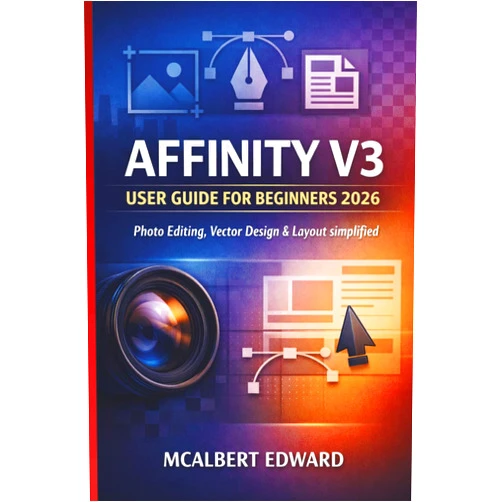
Unleash your inner artist! The MCALBERT EDWARD AFFINITY V3 USER GUIDE FOR BEGINNERS 2026 is your passport to a world of vibrant creation! Learn how to transform your imagination into stunning photo editing, breathtaking vector design, and flawless layout with ease. Dive into a user-friendly experience crafted especially for beginners, making complex techniques simple and enjoyable.
Main Features
Step-by-Step Tutorials: Navigate through clear, concise instructions. Master the fundamentals of photo editing, vector design, and layout at your own pace.
Intuitive Interface: Explore an interface designed for effortless navigation. Quickly find tools and functions without feeling overwhelmed.
Practical Examples: Practice your newfound skills with real-world examples. Create amazing projects that showcase your creativity.
Comprehensive Coverage: Learn all aspects of the Affinity V3 suite. Master essential tools to achieve professional-quality results.
Beginner-Friendly Language: Understand complex concepts with easy-to-understand language. Follow along without any prior experience.
Benefits
Boost Confidence: Gain confidence in your creative abilities. Transform your ideas into beautiful visuals.
Express Yourself: Communicate your unique vision through art. Share your work with the world.
Save Time: Work efficiently with streamlined workflows. Complete your projects faster.
Learn a Valuable Skill: Build a valuable skill. Improve your photo editing, vector design, and layout skills.
Have Fun: Enjoy a delightful learning experience. Express your creativity and have fun.
Unique Selling Points / Competitive Advantages
Beginner-Focused: Designed specifically for beginners. A perfect starting point for your creative journey.
Comprehensive Coverage: Explore every aspect of Affinity V3. From basic to advanced techniques.
Easy-to-Follow Guides: Learn with clear, step-by-step instructions. Understand complex concepts with simplicity.
Practical, Fun, and Effective: Experience the fun of learning and the effectiveness of proven methods.
Future-Proof your Creativity: Build a foundation of skills. Embrace your artistic path to your full potential.
Usage Scenarios
Creating social media graphics. Design eye-catching posts for your favorite platforms.
Making family photo albums. Bring your memories to life with captivating designs.
Designing personalized cards and invitations. Create bespoke, beautiful invitations for all occasions.
Developing school projects. Add creative flair to your presentations and assignments.
Bringing ideas to life. Use your skills to start your own business.
Customer Reviews / Testimonials
Sarah, United Kingdom, 2024: "This guide is a lifesaver! I was so intimidated by Affinity V3 at first, but this book broke everything down so simply. I was able to create my first amazing photo editing project in just a few days!"
Carlos, Mexico, 2025: "I have always wanted to learn vector design, and this guide did the trick! The lessons are fun and the examples are inspiring. I am now creating my own illustrations."
Li Wei, China, 2026: "The book teaches you the basics in such a way that it is easy and fun. This is a must-have for every beginner to learn layout with no experience. Highly recommended!"
Emily, Canada, 2023: "I was looking for a guide to help me with photo editing. This guide gave me all the help I needed to edit photos. I am now creating professional-looking images for my family."
David, Australia, 2026: "I would recommend this book. The explanations are extremely clear and the pace is perfect for beginners. My kids are having fun with it."
Frequently Asked Questions
Q: Do I need any prior experience? A: No, this guide is specifically designed for beginners with no prior experience.
Q: What software does this guide cover? A: This guide covers the entire Affinity V3 suite, including photo editing, vector design, and layout.
Q: How long will it take to learn? A: The learning pace depends on your individual learning style and time commitment. However, the guide is structured to make learning easy and fun, so you will pick it up quickly.
Q: What will I be able to create? A: You will learn to create amazing graphics, stunning photos, beautiful layouts, and so much more. Your imagination is the limit!
Q: Is this guide suitable for children? A: Absolutely! The language is easy to understand, and the projects are engaging and fun for all ages.
BUY NOW
Unleash your inner artist and begin your creative journey! With Affinity V3, learning becomes exciting. Get the beginner's guide to photo editing, vector design, and layout to create fantastic images today!
(Beta: User Generated 2024.0007)