+

In stock *In Stock - Subject to stock availability at point of fulfilment. In the event whereby the item is out of stock or unable to provide the service, 1Outlets will cancel the order and issue a Full refund in-store credit to you. SKU : 2733fbe5a92b88f41edf92ef6d3e2d5a
**Free Shipping Worldwide available - Shipping time may vary depending on the address.
**Circumstances Reroute - This is a time of great stress and uncertainty. We are actively validating, routing and re-routing orders with our overseas merchants, logistic partners and airlines. Deliveries and supply may expect delays.
**In Stock (Low Inventory Warning) - Subject to stock availability at point of fulfilment. In the event whereby the item is out of stock or unable to provide the service, 1Outlets will cancel the order and issue a Full refund in-store credit to you (See Refunds).
**Report or Request Removal - Any copyrighted, DMCA, inappropriate, offensive, prohibited, potentially Illegal Listings (Submit doc here).
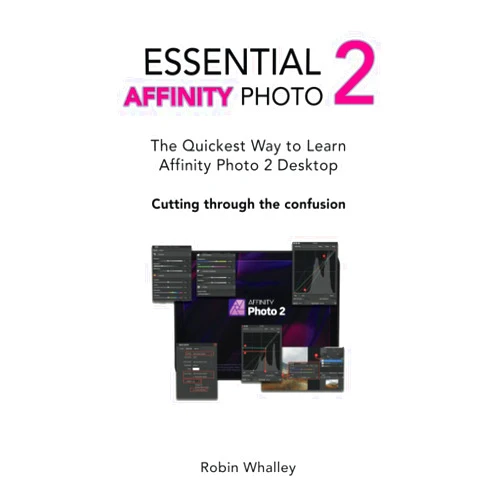
Essential Affinity Photo 2: Where Creativity Takes Flight!
Discover the magic within with Robin Whalley Essential Affinity Photo 2: The quickest way to learn Affinity Photo 2 Desktop! This captivating guide is your vibrant key to unlocking the boundless potential of Affinity Photo 2. Dive into a world of breathtaking imagery, where every click sparks joy and every creation tells a story. Learn the secrets of professional photo editing and elevate your pictures to dazzling new heights!
Main Features
Intuitive Interface Mastery: Navigate Affinity Photo 2 with ease and grace, transforming confusion into confidence. Explore the user-friendly design, learn how to access the tools, and perform all the task without any obstacles.
Comprehensive Workflow Tutorials: From basic adjustments to advanced techniques, the step-by-step guides illuminate the path to photographic excellence. Discover the clear and concise methods designed for users of all skill levels.
Layer-Based Editing Power: Embrace the art of non-destructive editing, weaving layers of creativity to construct stunning masterpieces. Learn the advanced skills and edit a picture like a pro by using layers.
Professional-Grade Tools: Dive into a treasure chest of editing tools, including selection brushes, filters, and retouching options, to craft images that leave a lasting impression. Master all the available tools to produce professional images that will impress anyone.
Project-Based Learning: Immerse yourself in hands-on projects that breathe life into your learning, transforming theory into tangible triumphs. Practice on the examples and build a real project to enhance your creativity and knowledge.
Benefits
Elevate Photographic Skills: Watch your ability to edit photographs and create dazzling visuals soar. Learn new skills and be able to do photo editing for different purposes.
Unlock Your Creative Potential: Discover the artist within and express your vision through stunning images. Create your own master pieces and use your full creative potential.
Save Time and Effort: Expedite your workflow and bring efficiency to your photo editing routine. Learn how to save your time and increase the speed of photo editing with the help of this guide.
Produce High-Quality Images: Craft images that capture attention and elevate your portfolio or projects. Get to know all the professional techniques to produce the best quality images.
Build Confidence: Gain the knowledge and expertise to approach photo editing with unwavering confidence. Increase your confidence and feel like a professional photo editor with Affinity Photo 2.
Unique Selling Points / Competitive Advantages
Speedy Learning Curve: Master Affinity Photo 2 quickly, transforming your photos in a matter of hours, not days. This guide will teach the quickest way to learn Affinity Photo 2.
Tailored for Beginners: Specifically designed for users new to photo editing, providing a supportive and engaging learning experience. Designed for beginners, making it easy to learn without facing issues.
Expert Guidance: Benefit from the wisdom of Robin Whalley, a renowned expert with years of experience. Get to know every trick from the real expert in photo editing.
Hands-on Approach: Learn by doing, with projects that boost understanding and allow immediate application of newfound skills. Use the examples and perform the tasks with the guide's help.
Cost-Effective: Achieve professional-grade results without investing in expensive software or courses. Learn to use the software and get professional results without spending a fortune.
Usage Scenarios
Creating Family Photo Albums: Preserve precious memories, transforming snapshots into cherished treasures. Improve the pictures of your family and use them to create a beautiful memory album.
Enhancing Social Media Content: Elevate your online presence with eye-catching images that grab attention. Use Affinity Photo 2 to make your content more attractive.
Designing Marketing Materials: Craft engaging visuals for presentations, websites, and promotional campaigns. Design pictures for marketing campaigns to attract customers with the help of Affinity Photo 2.
Developing Artistic Portfolios: Showcase your creative vision, building a stunning portfolio to impress clients and collaborators. Create your own unique portfolio to showcase your creativity and work.
Retouching Personal Portraits: Refine and perfect your portraits, revealing the best version of you. Use the guide and the Affinity Photo 2 to make your pictures better.
Customer Reviews / Testimonials
"This book is a game-changer! I went from zero knowledge to creating beautiful images in no time. Thanks, Robin Whalley!" - Sophia Miller, United Kingdom, 2023.
"I love how easy it is to follow along! The tutorials are clear, and I'm amazed at the results." - Kenji Tanaka, Japan, 2024.
"As a beginner, this guide was a lifesaver. It made Affinity Photo 2 accessible and fun." - Maria Rodriguez, Spain, 2023.
"The hands-on projects helped me put everything into practice. Highly recommended!" - David Lee, Canada, 2024.
"Finally, a guide that doesn't overwhelm! I'm now confidently editing photos." - Chloe Dubois, France, 2023.
Frequently Asked Questions
Q: Is this guide suitable for beginners? A: Yes! It's specifically crafted for those new to photo editing and Affinity Photo 2.
Q: What if I already know the basics? A: The guide offers advanced techniques and projects to further expand your skillset.
Q: What do I need to get started? A: You'll need access to Affinity Photo 2 on your computer.
Q: How long will it take to learn? A: The guide offers a speedy learning process, you will be producing stunning results.
Q: Can I use this guide on both Mac and PC? A: Yes, the tutorials apply to both Mac and PC versions of Affinity Photo 2.
BUY NOW
Don't delay! Soar into a world of vibrant creativity today with the Essential Affinity Photo 2 guide and empower your pictures with the magic of Affinity Photo 2!
(Beta: User Generated 2024.0007)